PDF Reader Home- File Viewer
- 3.1
- Rating
- 500.00K
- Installs
- Free
- Price
 Analysis by App-foxy
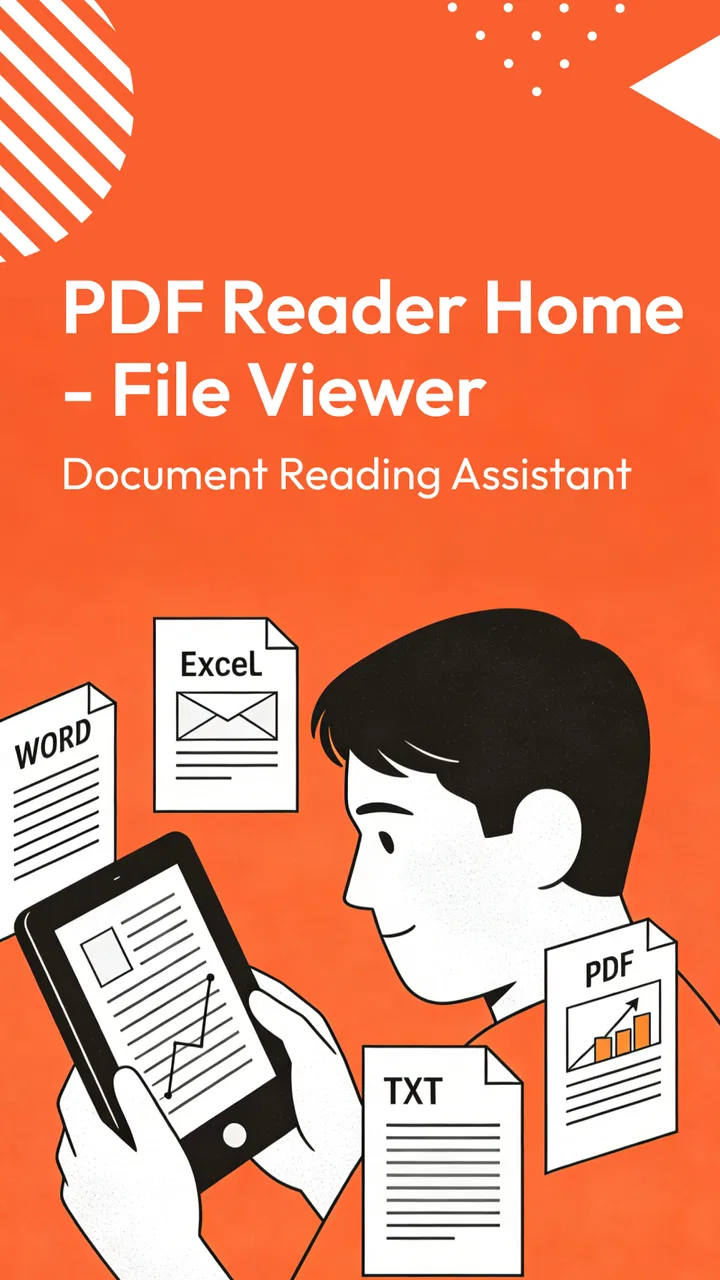
I spent time with PDF Reader Home- File Viewer as a practical document-reading tool rather than treating it as just another icon in a productivity folder. Its purpose is straightforward: help me open and read documents, with PDF files at the center of the experience. That narrow focus can be useful when I want a simple reader instead of a full office suite, but it also means the quality of the experience depends heavily on how comfortably I can navigate a file and adjust to the way I personally read.
The app is free, aimed at everyone, and developed by Nanjing Argon Blue Technology Co., Ltd. It has reached over 500 thousand installs, while its average rating sits at 3.1 from more than 600 ratings. I see those figures as a reason to approach it with measured expectations: there is clear interest in the app, but the public response is mixed enough that it should be tested against your own reading habits rather than accepted blindly.
Reading documents without unnecessary effort
My first impression is that the app’s value comes from reducing the distance between opening a document and actually reading it. A dedicated PDF reader is often more comfortable than opening a file inside a broader file manager or office application, especially when I only need to check a form, review a handout, or consult a reference document. The app’s store summary describes it as a way to read various documents, and that gives a fair picture of its role: it is primarily a viewer, not a complete document-production workspace.
You May Also Like

 Blood Strike: 2.5 Anniversary
Blood Strike’s Loadouts Turn Every Drop Into a Tactical Gamble
A close look at Blood Strike’s custom loadouts: how fast access to signature weapons reshapes its battle royale rhythm, rewards preparation, and narrows the gap between fights.

 Pandora - Music & Podcasts
Pandora’s Music Is Easy to Start, but Harder to Recover
Pandora’s strength is its low-effort path from a seed to a station. Its weak spot is how much confidence it asks you to place in connection, setup, and quiet recovery.

 8 Ball Pool
 Is Built on Rivalries, Rematches, and Routine
A close look at the rivalries, rematches, shared routines, and unanswered safety questions that turn a quick pool match into a persistent mobile community.

 Samsung Music
’s Quiet Strength Is Playing What You Already Own
Its reach comes less from spectacle than from dependable access to a personal library. That simplicity is both the app’s strongest retention engine and its ceiling.

 AccuWeather: Weather Radar
AccuWeather Review: A Quick, Clear Forecast for Everyday Decisions
For everyday plans, the best forecast is the one you can understand quickly. AccuWeather makes rain timing, radar, and local conditions easy to act on, with a few trade-offs.

 Hill Climb Racing
Why Hill Climb Racing Still Turns Crashes Into One More Run
A tiny car, a bumpy hill and one more upgrade: Hill Climb Racing keeps resurfacing because its simple chaos makes every near-miss feel personal.
More From Our News Desk
View All News


For readability, I pay attention to three things: whether I can identify the correct file quickly, whether pages remain predictable while scrolling, and whether the screen stays calm enough for longer reading. PDF Reader Home- File Viewer makes the most sense for people who want a focused place to open documents instead of a crowded productivity suite filled with editing tools they may never use.
That simplicity can also be helpful for readers who become distracted by dense interfaces. A student checking a course PDF, a family member opening a digitally delivered form, or a worker reviewing a reference sheet may not need annotation panels, cloud dashboards, or document-conversion controls immediately visible. A smaller task scope can make the first step less intimidating.
Still, I would not confuse a focused reader with an automatically accessible reader. A clean starting point does not guarantee that every document will be comfortable. PDFs themselves can contain tiny text, unusual page layouts, scanned images, multi-column designs, or forms that were never structured for easy reading. The app can provide a place to view those files, but the source document still has a major influence on the result.
Navigation matters more than the file list
When I use a document app, I want to know what will happen after I tap a file. The most useful workflow is one that lets me move through pages without losing my place, return to a document later, and distinguish one file from another without guesswork. These details matter especially for people with attention, memory, or reading-fatigue challenges. A reader that makes me repeatedly reconstruct where I was creates friction even when the document itself is simple.
My practical advice is to test the app with the documents you actually use, not only with a short, well-formatted PDF. Try a long manual, a scanned page, and a document with tables or several columns. That small test reveals more than a quick glance at the application screen. If the pages feel easy to follow in all three cases, the app may fit your routine. If one format becomes confusing, you will know that the limitation is relevant before depending on it for school, work, or official paperwork.
For people who switch between portrait and landscape viewing, document shape is another everyday consideration. A narrow page may be readable in portrait, while a wide spreadsheet-like page may require a different orientation or repeated horizontal movement. That is not a defect unique to this reader, but it affects how inclusive the experience feels. Someone with limited visual stamina may prefer a document that can be read in a steady vertical flow, whereas a professional reviewing wide technical pages may accept more movement in exchange for seeing the full layout.
Text size, contrast, and visual comfort
Reading comfort is personal. Some users need larger text, some need stronger contrast, and others find bright white pages tiring after several minutes. I would judge this app by how well it supports your preferred viewing setup on your particular phone or tablet. The operating system can help with general display adjustments, but those adjustments do not always solve a PDF whose text is embedded in a fixed page image or arranged unusually.
A useful habit is to prepare a short reading test before committing to the app. Open a familiar document and read several paragraphs at the size you normally prefer. Then check a page containing headings, footnotes, and a table. If you need to pinch and reposition constantly, the app may be fine for occasional lookups but frustrating for sustained reading. If the page remains easy to scan, it becomes a more realistic candidate for daily use.
This is also where the difference between selectable text and scanned pages becomes important. A digitally created PDF usually behaves more like a document, while a scan may behave like a photograph of a page. Readers who rely on text enlargement, screen reading assistance, or quick text selection should be especially cautious with scanned material. A viewer can display the image, but displaying an image is not the same as exposing meaningful text to every assistive workflow.
Access across abilities and everyday situations
I look at access in the context of ordinary routines, not just whether a document opens: a reader needs to remain manageable when I’m tired, using one hand, or checking a page away from home. Choosing a familiar file and testing it in the setting where I expect to read can reveal practical obstacles before they matter. That leads naturally to the broader question of whether the app keeps earning a place in a regular routine.
Motor considerations on a phone
Document reading often involves repeated gestures: opening a file, scrolling, zooming, changing orientation, and returning to a previous location. For someone with tremors, reduced dexterity, joint pain, or one-handed use, small targets and frequent pinch gestures can turn a simple task into a tiring one. I would therefore use PDF Reader Home- File Viewer in a way that minimizes precision demands: keep the phone stable, open the document before moving, and use a larger screen when the page layout allows it.
A tablet can make a meaningful difference even when the app itself has not changed. More screen area means less extreme zooming and fewer page adjustments, which can reduce the number of gestures needed. It can also help users who hold a device farther away or who need a larger visual target. The trade-off is portability: a phone is easier to carry, while a tablet may be more comfortable for long sessions.
People who use alternative input methods should evaluate the app directly with their setup. Touch interaction is not equally comfortable for everyone, and a workflow that feels effortless to one person may be inaccessible to another. I would not choose this reader solely because its purpose sounds simple; I would confirm that opening files and moving through pages can be done without repeated, tiring precision movements.
Sensory needs and document design
Visual access is only part of the picture. Some users are sensitive to glare, motion, crowded layouts, or sudden changes in screen presentation. A PDF viewer is most comfortable when it lets the document remain the focus, but the document’s own design can still introduce barriers through low contrast, decorative backgrounds, tiny captions, or color-only distinctions.
For readers with color-vision differences, a chart that separates categories only by color may remain difficult even when the app displays it perfectly. For readers with dyslexia or other reading differences, dense paragraphs and inconsistent spacing can be more challenging than the application interface itself. In both cases, PDF Reader Home- File Viewer may serve as a useful viewing tool, but it cannot redesign every source file into a more accessible format.
Users who depend on spoken feedback should also separate two questions: can the app open the file, and can the important content be interpreted by the assistive technology they use? A PDF made from selectable text is generally a better starting point than a scan, but the document’s structure still matters. Headings, reading order, tables, and form fields can all affect whether a file is understandable beyond visual display.
Situational access outside the home
The app has a practical role in situations where I need to read something quickly on a mobile device. Imagine receiving a travel document, a school notice, or a workplace instruction while away from a desk. A dedicated reader can be more convenient than waiting to reach a computer, and a free app lowers the barrier for someone who only occasionally needs to inspect a PDF.
That convenience changes in difficult environments. On public transport, one-handed scrolling and screen glare can make a long document unpleasant. In a quiet library, a person may prefer visual reading, while another user may need audio assistance. Outdoors, sunlight can overwhelm small text even if the file looked comfortable indoors. These are not merely technical details; they determine whether the app works at the moment it is needed.
I would also avoid making it the only place for critical documents until I have tested my own routine. If I need a form during an appointment, I would open it in advance and make sure I can find the relevant page without rushing. If I am preparing for a class or meeting, I would check the file beforehand rather than relying on a first opening in a noisy or low-light setting. This preparation is particularly valuable for users who need more time to navigate or who cannot easily repeat gestures.
Who will benefit most
This app is best suited to people who want a free, straightforward way to read PDFs and related documents on an Android device. It may appeal to occasional readers, students checking reference material, households that receive documents digitally, and workers who need a compact viewer beside their main office tools.
It is less convincing for someone who expects a full document-management system. If your daily work depends on advanced editing, collaborative review, reliable form completion, extensive annotation, or a highly specialized accessibility workflow, a mature office suite or dedicated PDF platform may be a better choice. Those alternatives can be more complicated, but their extra controls may justify the learning curve when documents are central to your job.
Practical friction I would consider first
The mixed rating tells me not to assume that the app will feel equally polished for everyone. A reader can appear simple while still requiring trial and error around file discovery, page movement, or particular document formats. I would pay attention to how it handles my own library, especially if filenames are long, documents come from different sources, or I regularly open scans.
Another trade-off is the gap between viewing and acting. Reading a document is only one part of many real tasks. I may need to fill a form, copy a passage, mark a page, compare two versions, or send the file onward. If those actions are central to my routine, a viewer-only approach may leave me switching applications repeatedly. That is not necessarily a reason to reject it, but it changes where the app belongs: it works better as a reading stop than as the entire document workflow.
Version 1.0.4 gives the app a clearly identifiable current release, and it requires Android 6.0 or later. For most compatible Android users, the operating-system requirement should not be the deciding factor; the more important question is whether the app’s reading behavior suits the documents and accessibility settings that matter to them. I would install it on the device I actually use, because screen size, display configuration, and input comfort can change the experience substantially.
How it compares with familiar alternatives
Compared with a general file manager, PDF Reader Home- File Viewer offers a more purposeful destination for reading. A file manager is useful for organizing and moving files, but it may not feel like a reading environment. Compared with a full office suite, this app is potentially less overwhelming because it keeps the focus on viewing, though the office suite may be stronger when I need to edit or collaborate.
Compared with a browser-based viewer, a dedicated app can feel more direct for files already stored on the device. A browser may be convenient when a document arrives through a web page, but it can also place the reading task among tabs and unrelated content. The right choice depends on whether I value a focused local reading routine or a broader web-based workflow.
For accessibility, I would compare actual behavior rather than labels. One alternative may handle selectable text more comfortably, another may provide stronger navigation for structured documents, and a third may offer better tools for annotations. PDF Reader Home- File Viewer is worth considering when basic viewing is the priority, but readers with specific assistive needs should test the exact files they depend on before replacing a tool that already works.
My inclusive verdict
I see PDF Reader Home- File Viewer as a reasonable starting point for straightforward document reading, especially for someone who wants a free productivity app without committing to a large office package. Its strongest quality is its clear purpose: open a document and concentrate on the page. That can be genuinely helpful for occasional readers and for people who prefer fewer competing controls.
At the same time, inclusive access depends on more than the app’s basic purpose. People with visual, motor, cognitive, or sensory needs should test page movement, zooming, text clarity, and their preferred assistive setup with real documents. Scanned pages, complex layouts, and poorly designed source files can remain difficult even when the viewer opens them successfully.
My recommendation is therefore conditional but positive: try it if your main need is uncomplicated PDF reading on a compatible Android device, and keep a more capable alternative available if your work involves editing, structured navigation, or intensive accessibility requirements. The app’s Everyone age rating and free price make experimentation easy, but the 3.1 average means I would make the final decision from hands-on comfort rather than popularity alone. For me, it is most useful as a simple reading tool, not as a complete answer to every document task.
FAQs for PDF Reader Home- File Viewer
01What features does PDF Reader Home - File Viewer offer?
PDF Reader Home - File Viewer provides a comprehensive suite of tools for managing PDF documents. Users can view, annotate, and edit PDFs with ease. The app also supports other file formats, enabling conversion and seamless integration with cloud services. Its user-friendly interface makes it suitable for both personal and professional use.
02Is PDF Reader Home - File Viewer compatible with all devices?
Yes, PDF Reader Home - File Viewer is compatible with both Android and iOS devices. It is optimized to work smoothly across smartphones and tablets, ensuring a consistent experience regardless of the device you are using. However, it is always a good idea to check for the latest compatibility updates in the app store.
03Does PDF Reader Home - File Viewer require an internet connection?
No, PDF Reader Home - File Viewer does not require an internet connection for basic PDF viewing and annotation. However, for features like cloud integration, online storage access, and updates, an internet connection is necessary. This ensures you can access documents from anywhere and keep the app up to date.
04Are there any costs associated with using PDF Reader Home - File Viewer?
PDF Reader Home - File Viewer offers a free version with basic functionalities. However, to unlock advanced features such as premium editing tools and enhanced cloud storage options, users may need to purchase a subscription or make in-app purchases. Pricing details are available within the app store listings.
05How secure is my data when using PDF Reader Home - File Viewer?
PDF Reader Home - File Viewer places a strong emphasis on security. It employs encryption to protect your documents and ensures that data transferred to and from cloud services is secure. Additionally, the app does not share personal information without user consent, adhering to privacy regulations to safeguard user data.
Pros
- Intuitive interface enhances user experience.
- Supports various file formats seamlessly.
- Offline access to files is available.
- Fast file loading and rendering speed.
- Annotation tools are robust and versatile.
Cons
- Ads can interrupt workflow frequently.
- Limited cloud storage integration options.
- Some advanced features require purchase.
- Occasional crashes on large files.
- Search function lacks advanced filtering.

PDF Reader Home- File Viewer
Gallery